Virtual try-on · Jewelry · Ecommerce
Virtual try-on for jewelry: rings, necklaces, bracelets and earrings
Let shoppers see a ring, necklace, bracelet or earrings on themselves before they buy. How jewelry try-on works, which photos to use and how to add it.
· 4 min read
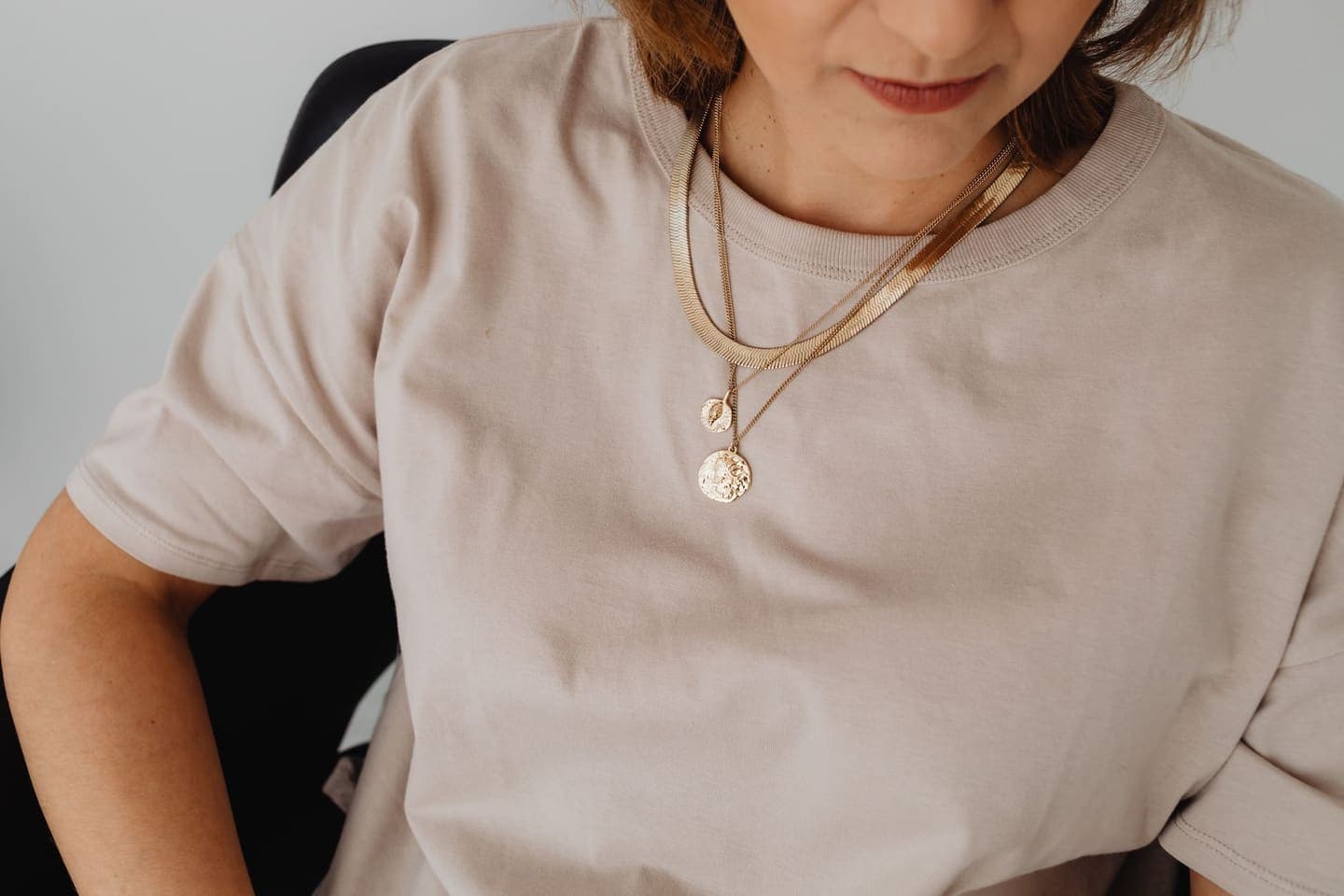
Jewellery is one of the hardest things to buy online. A necklace that looks delicate on a model can look lost on a broad neckline. A ring that seems bold in a close-up can be tiny on a real hand. Shoppers know this, so they hesitate, ask questions, or buy two sizes and send one back.
Virtual try-on for jewellery lets them see the piece on their own neck, wrist, hand or ear before they buy, from one product photo and one photo of themselves. Here's how it works, how to get good results, and how to add it to your shop.
Why jewelry needs its own kind of try-on
Most AI try-on tools were built for clothing. Give them a bracelet and they treat it like a garment: it comes back as a necklace, as a pattern on someone's sleeve, or not at all. A jewellery try-on has to be told what the piece is and where it's worn, and it has to keep the piece exactly as designed. For a jeweller, a redesigned piece is a much worse failure than an awkward crop.
Clara's try-on asks what's being tried on: clothing, a necklace, a bracelet, a ring or earrings. For jewellery, it places the piece where it's worn, keeps the shopper's clothes as they are, and keeps the design, metal colour, stones and proportions as they are in your photo, at a realistic size.
What you can try on
- Necklaces, pendants, chokers and lockets, resting on the collarbone.
- Bracelets, bangles and cuffs, on the wrist.
- Rings, on a finger.
- Earrings, studs, hoops and ear cuffs, in the ear.
The shopper's photo: show where it's worn
The single biggest difference between a good and a bad jewellery try-on is the photo of the person. The place the piece is worn has to be clear, close and uncovered.
Necklace: neck and collarbone in view, with nothing covering them. A scoop or V neckline works better than a high collar.
Bracelet: a bare wrist, close up and in focus. Push sleeves and watches out of the way.
Ring: a hand with the fingers slightly apart, close up, in even light.
Earrings: face turned slightly to one side, ear visible, hair tucked back.
Your product photo: sharp, true and on its own
- One piece per photo. A stack of rings or a layered set will be read as one piece.
- Close and sharp enough to see the chain, the setting and the stones.
- True metal colour. Yellow gold, rose gold and silver are easy to shift with a warm or cool filter, and that's the detail buyers check first.
- A plain background. Velvet busts and props are fine, but a clean shot is easier to read.
How to add jewelry try-on to your shop
Add your shop on Clara's virtual try-on page to get a shop key and the install steps for your platform. Then make sure each product says what kind of jewellery it is, so the try-on knows where to put it.
Add the Custom Liquid block from the try-on page under your Buy buttons.
Set each product's Product type: Necklaces, Bracelets, Rings or Earrings.
Clara reads the type, so “Bracelets & Bangles” works as well as “Bracelet”.
Install the Clara plugin and paste your shop key.
Put each product in a category that names it, such as Rings or Necklaces.
The plugin sends the categories with each try-on.
Add Clara's script and a Try it on button to the product page.
Add data-item to the button: necklace, bracelet, ring or earrings.
What jewelry try-on can't tell you
- Ring size. Keep a ring sizer guide, or a printable sizer, beside the button.
- Chain length in centimetres. Show a length guide with the necklace on a model or a neck diagram.
- Weight and how the piece feels. Say it in words: “light enough to wear every day”.
Like every try-on, it shows the look, not the fit. Say that next to the button, and shoppers will trust both.
If you sell jewelry on Instagram or WhatsApp
Plenty of jewellers sell in chats, not on product pages. You can still offer it: when a customer asks how a piece will look, ask if they'd like to see it on themselves. If they send a photo, make the try-on in Clara and send it back. Ask before you use their photo, and delete it afterwards.
Turn your next take into a video people finish.
Captions timed to every word, a pinned hook and a tighter edit, all from the footage you already have.
Start free